This feature is currently available for Shopify brands only.
Background
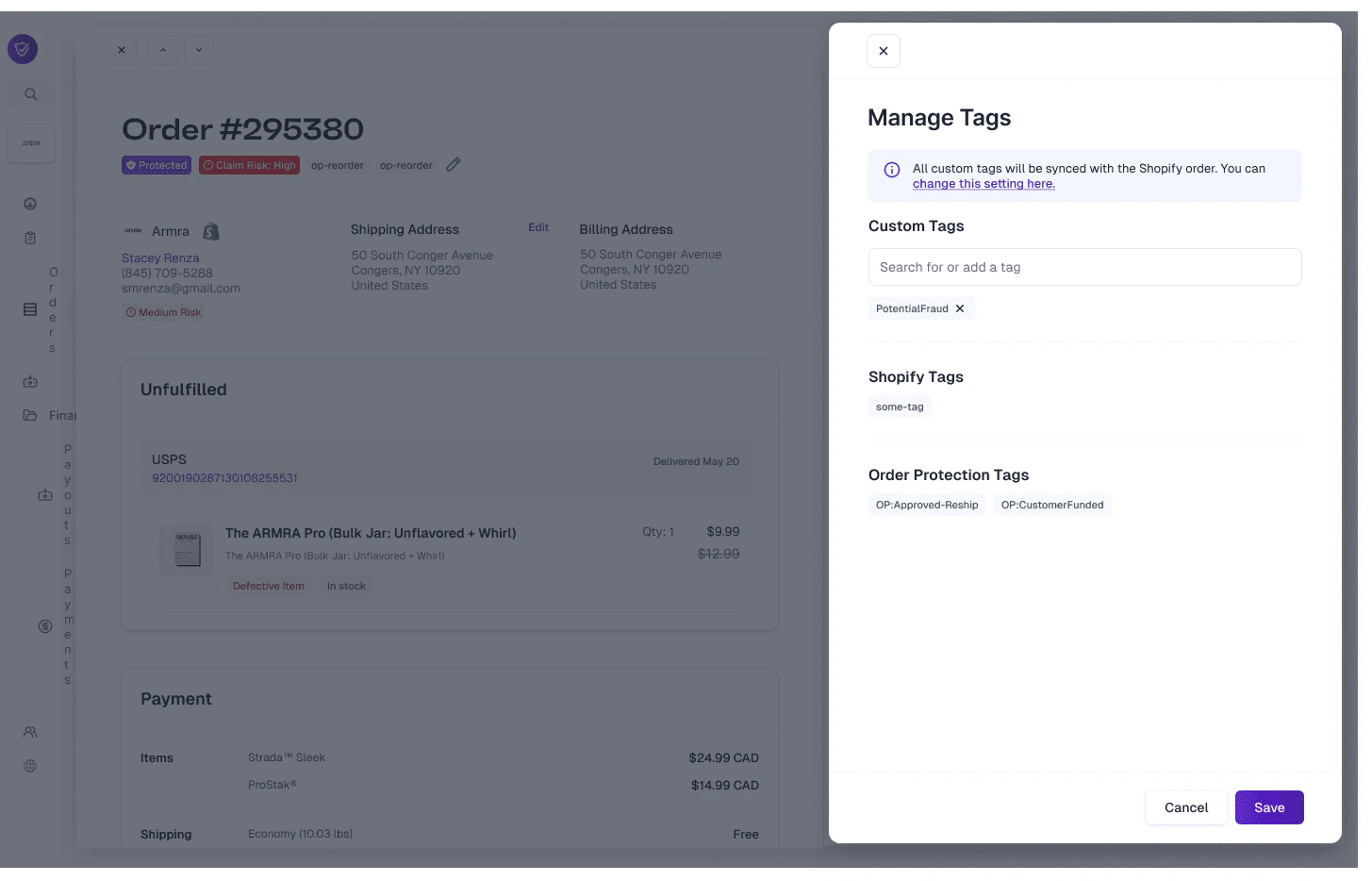
Order Protection has the ability to bring in order and customer tags from Shopify and post tags back to the orders based off of claim events and actions. This allows brands to create analytics views specific to their claim data, set up Shopify flows, and more.Sync Tags
When the Sync tags to Shopify toggle is enabled within the Tagging block under the general settings tab, Order Protection will start to bring in all tags for your Shopify orders. From here, brands have the option to select which Order Protection tags they want to sync back to Shopify.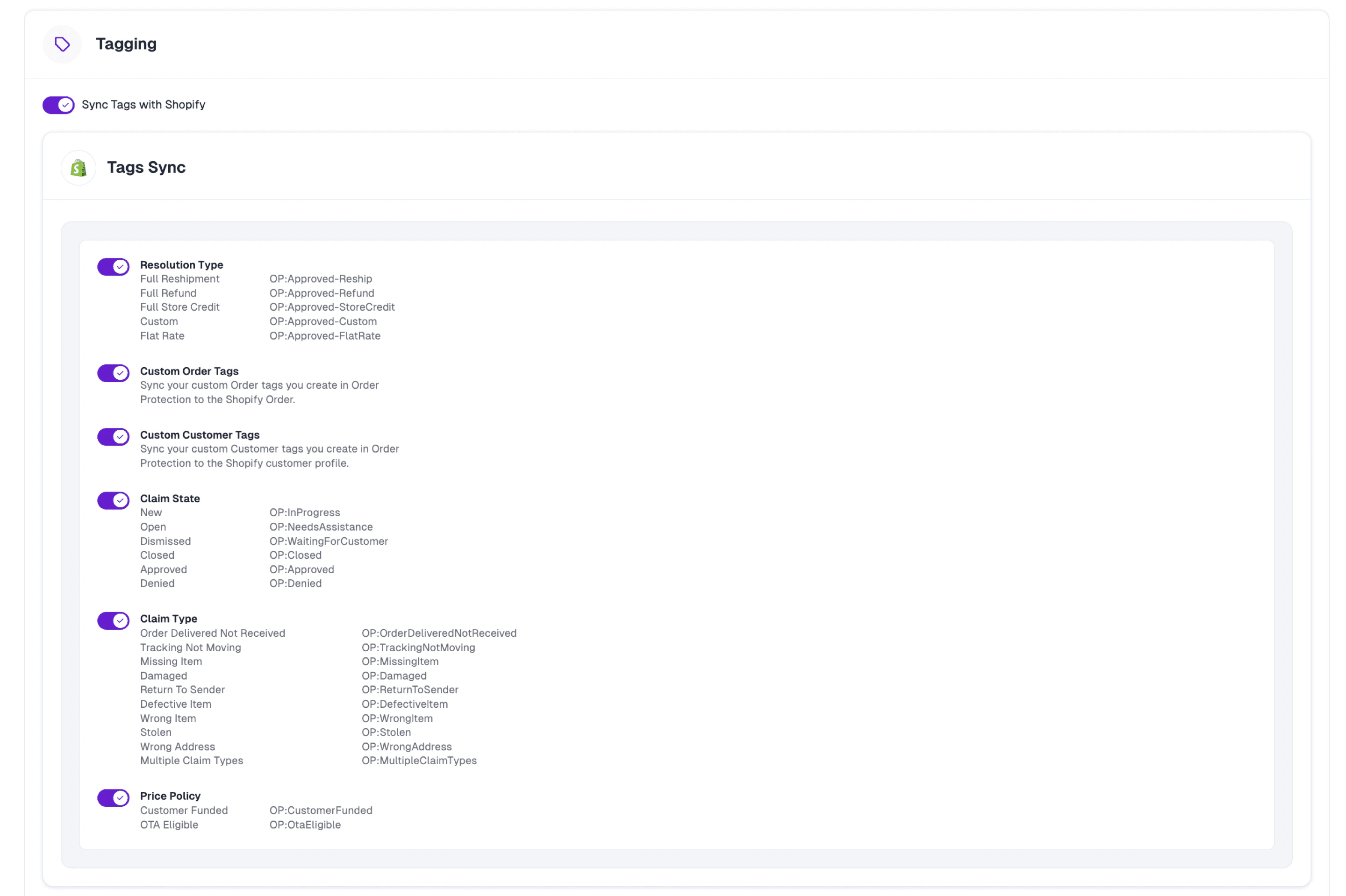
Tagging Categories
Resolution Type
When a claim is approved, we’ll post the resolution type for which it was approved.- Custom means that it was a split resolution (1+ items had a refund, 1+ items had a reshipment, etc.).
- Flat rate means that the customer received a partial resolution amount (e.g., water bottle paint was chipped and received a $10 refund).
Custom Order Tags / Custom Customer Tags
These are tags that are manually added on the order and are distinct from:- Shopify tags — tags that are set up within Shopify and brought into Order Protection.
- Order Protection tags — our system-generated tags that fall into the categories of Resolution Type, Claim State, Claim Type, and Price Policy.
Claim State
As claims move through our queues (To Do > Pending > Approved), we update the tag on the order to allow brands to see how many claims they have in each claim state at any given moment.Claim Type
These are the selections that customers choose when filing claims.Price Policy
These tags are mainly used as a flag for brands to know which customers purchased protection (if customer funded).