

Store credit resolution types
You choose which form of store credit to offer under Settings > Claims. Each behaves a little differently for the customer:
Account Credit is the most streamlined experience: the credit lives on the customer’s Shopify account and applies at checkout like a payment method. If a customer has more than one approved claim, each credit tops up the same wallet balance rather than creating multiple separate codes to track.
Permissions required
Each store credit type relies on specific Shopify access scopes being granted to the Order Protection app. If a required scope is missing, that option can’t be offered until the app is re-authorized.Scopes are granted when the Order Protection app is installed or updated. If you switch to a store credit type you haven’t used before, you may be prompted to re-authorize the app so the new permissions can be applied.
Configuring store credit for resolutions
Store credit is configured under Settings > Claims.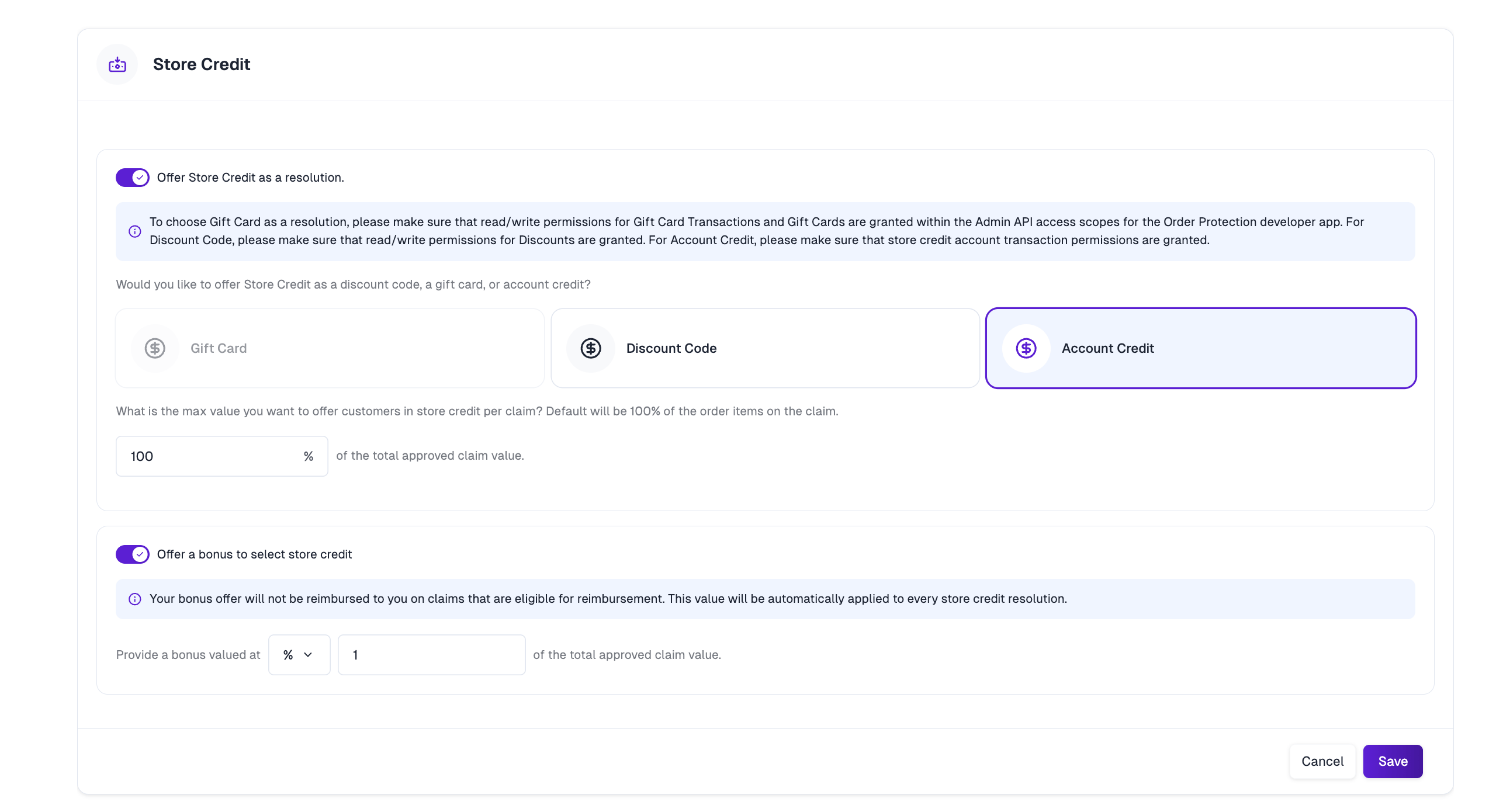
1
Enable store credit
Turn on store credit as a resolution option.
2
Choose the type
Select Gift Card, Discount Code, or Account Credit.
3
Set the max value
Cap the amount offered per claim as a percentage of the total approved claim value.
4
Add a bonus (optional)
Add a fixed or percentage bonus on top of the store credit to incentivize customers to choose it over a refund.
How customers receive store credit
When a claim is approved with a store credit resolution, the credit is issued automatically and the customer is notified — a gift card is emailed, a discount code is generated, or credit is added directly to their Shopify account, depending on the type you’ve chosen.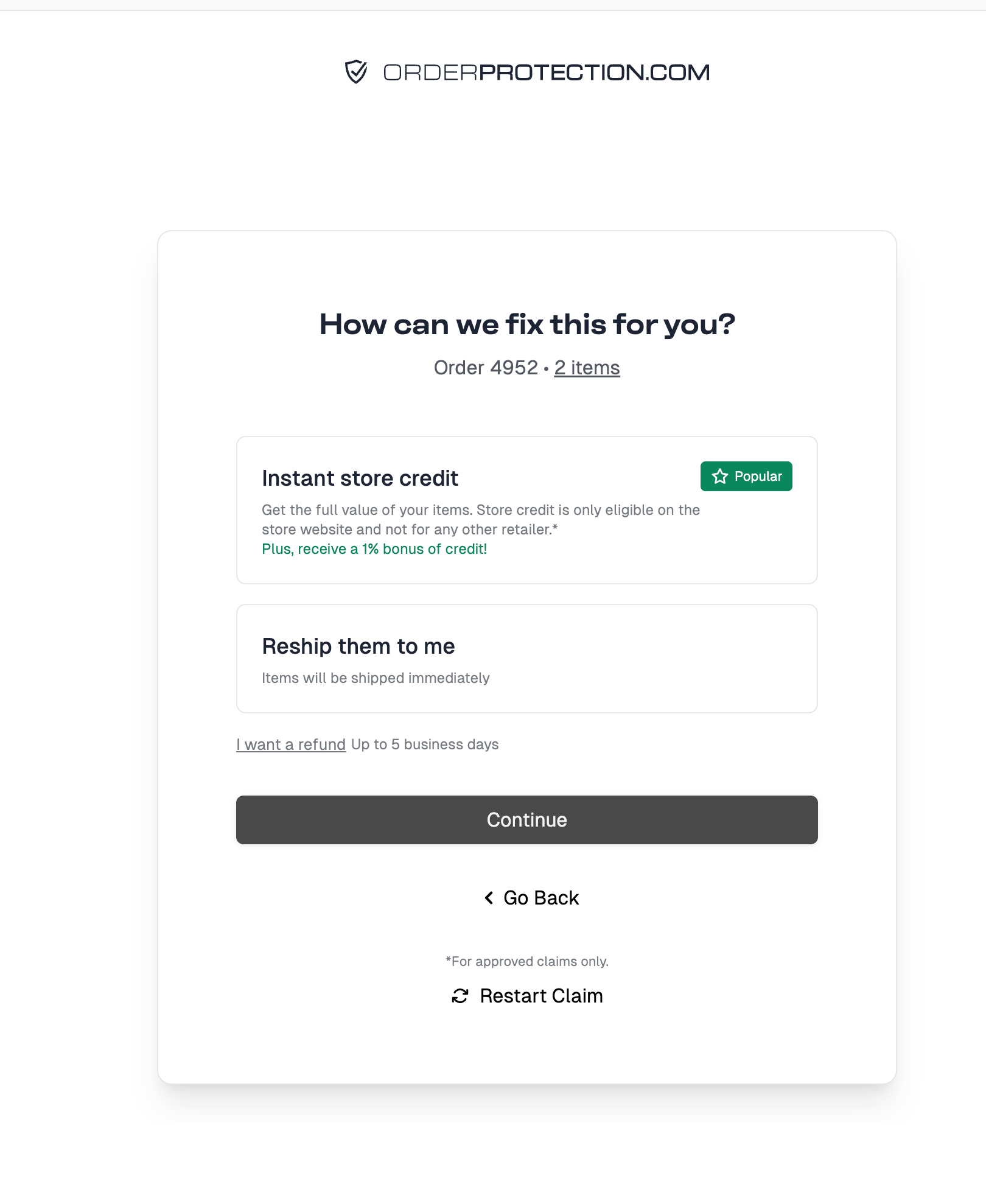
Store credit bonuses
A “bonus” can refer to two different things. They’re configured in different places and serve different purposes.Bonus on claim resolutions
Configured under Settings > Claims, this is an extra amount added on top of a store credit resolution — as a fixed amount or a percentage — to encourage customers to accept store credit instead of a refund.On claims eligible for reimbursement, the bonus portion is not reimbursed to you.
Bonus at checkout
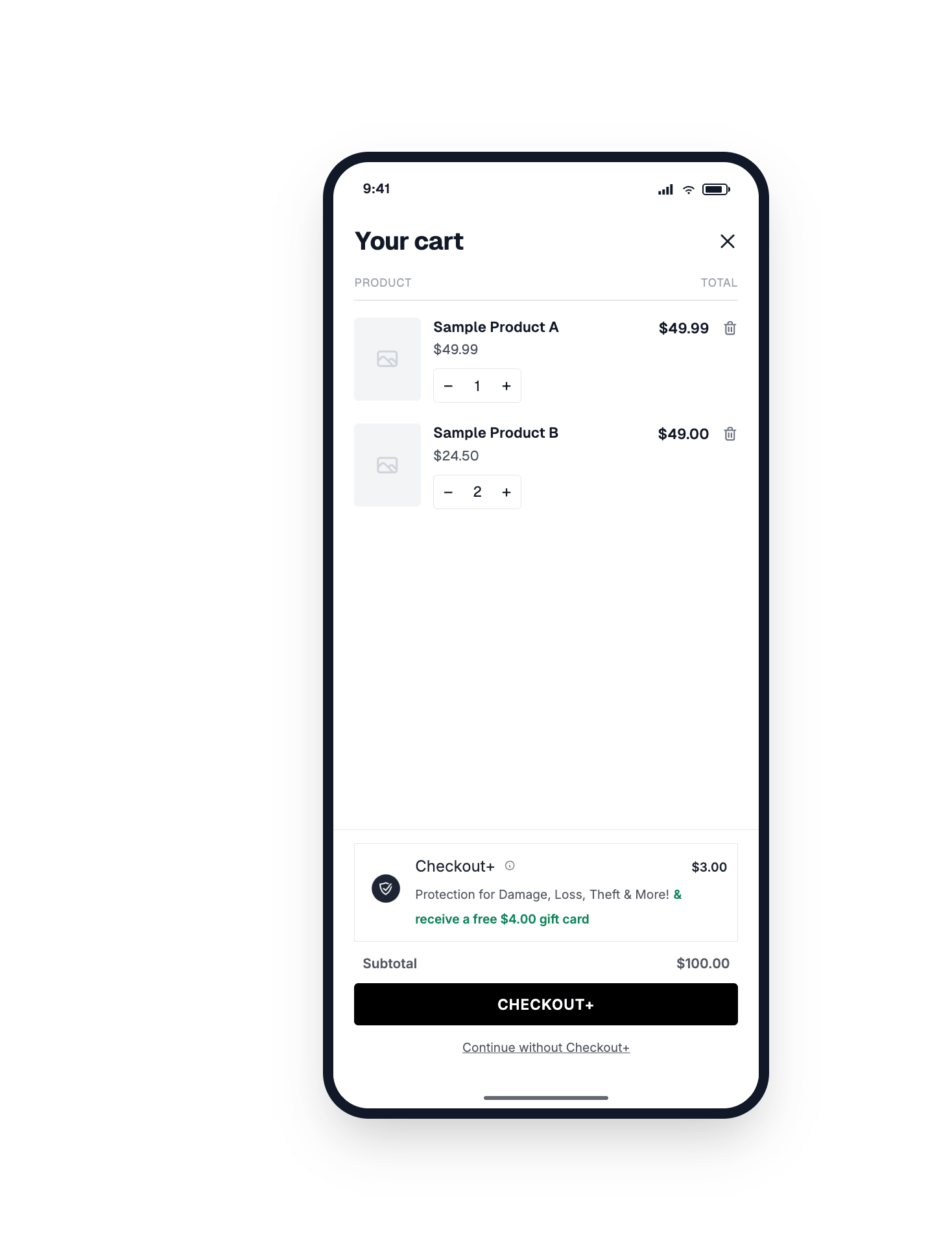
Separately, your cart widget can offer customers a free gift card or store credit as an incentive to add Order Protection at checkout — for example, ”& receive a free{{store_credit_value}} gift card”. The {{store_credit_value}} macro is replaced with the configured amount.
Accounting & reconciliation
The section below covers how store credit shows up for accounting — attribution, where to report on it, and how the credit and debit sides are recorded. It’s collapsed because it’s a lot of detail; expand it if you need it.Accounting & reconciliation
Accounting & reconciliation
The credit-in / debit-out modelStore credit has two sides. When a credit is issued, an amount is added to the customer’s balance (a credit). When the customer spends it at checkout, an amount is drawn down (a debit). Account credit can be spent partially and across multiple orders, so a single credit may be redeemed over time rather than all at once.AttributionEvery store credit transaction in Shopify records the source that created it. Credits issued by Order Protection are attributed to the Order Protection app — visible in the “Source” column of the customer’s store credit ledger (Customers → [customer] → Store credit) and the “Store credit source” column of Shopify’s store credit transactions report. Credits added manually by a staff member show that person’s name instead.Where each side is recordedIssuance is recorded in both Order Protection and Shopify. Account credit redemption (the customer spending their wallet at checkout) is recorded by Shopify, not Order Protection. So Shopify is the source of truth for redemption and balance totals, while Order Protection is where you tie a specific credit back to the claim that generated it.Reporting in ShopifyShopify has two dedicated store credit reports at Analytics → Reports → Categories → Finances (these require new Shopify Analytics to be enabled):A debit transaction’s origin resolves to the order it was spent on, so redemptions can be traced to a specific order. For a store-wide export, use a bulk operation across customers. Required scopes:
- Store credit transactions report — every credit, debit, and expiration across all customers, with the store credit source and the associated order.
- Outstanding store credit balance report — starting and ending balance per period, with credited / debited / expired amounts and net change. This is your store credit liability over time.
read_store_credit_accounts and read_store_credit_account_transactions.Bookkeeping mechanicsIssuing store credit creates a store credit liability (the balance you now owe the customer). Redeeming it draws down that liability and is recognized as revenue when the order ships, with the store credit acting as the tender for the sale.This describes the mechanics only. Confirm the exact general-ledger treatment with your accountant.
Related
Claim Settings
Configure store credit, the claim queue, offline claims, and sub-types.
Widgets
Set up the cart and checkout widget, including the store credit incentive.
Filing a Claim
How customers and merchants file and resolve claims.