Why use Product Taxonomy
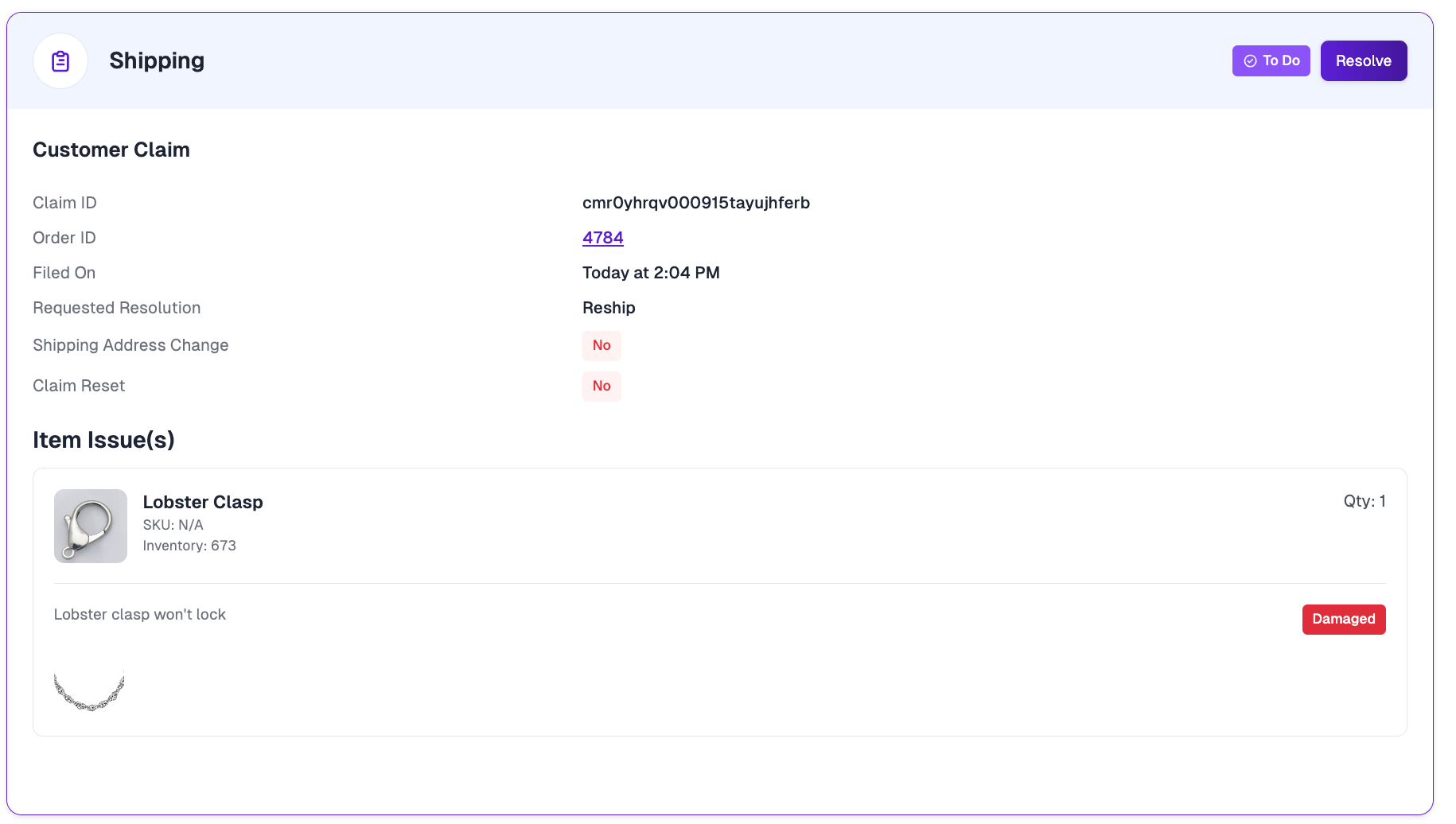
By default, a claim is filed against a product as a whole. Taxonomy adds structure so customers can be more specific about what went wrong:- Components — Parts that make up a single product. For example, a bed frame might have a headboard, side rails, and hardware kit as components. If only the headboard arrives damaged, the customer can file a claim against just that part.
- Bundles — Separate products sold together as a set or kit. For example, a skincare bundle might contain a cleanser, toner, and moisturizer. If only the toner leaks in transit, the customer can file a claim against just that item.
Why granular claims matter
When a customer can claim against a single part instead of the entire purchase, both sides of the claim get better outcomes:- Faster, more accurate resolutions. When the customer tells you exactly which part failed, there’s no back-and-forth to figure out what’s wrong. Your team can approve and fulfill the right replacement immediately.
- Less waste and fewer unnecessary refunds. A single failed part no longer forces a full-product refund or a duplicate reshipment of items the customer already has.
- Better product insight. Claims tagged to specific components or bundle items show you which parts fail most often — so you can fix a recurring issue at the source (a supplier, a packaging problem, a fragile clasp) instead of just eating the cost.
- A clearer customer experience. Customers feel understood when the claim form reflects the real problem. Picking “the clasp broke” is far more intuitive than filing a vague claim against the whole necklace.
Where to find it
1
Open Claims settings
From the dashboard, go to Settings → Claims.
2
Find the Product Taxonomy card
Scroll to the Product Taxonomy card. Here you’ll find the Download Template and Upload Catalog buttons.
How to upload your taxonomy
1
Download the template
Click Download Template on the Product Taxonomy card. This generates a
product_taxonomy.csv file pre-populated with all of your existing top-level products, so you have the correct product IDs to work from.2
Edit the relationship columns
Open the CSV in your spreadsheet tool of choice. For each product that is a component or a bundle item, fill in the
parent_source_product_id and relationship_type columns to point it at its parent product. (See CSV structure below.)3
Upload the catalog
Back on the Product Taxonomy card, click Upload Catalog and select your edited CSV. You’ll see a confirmation summarizing how many relationships were mapped, how many parent products were updated, any new products that were created, and any rows that were skipped.
CSV structure
Each row in the CSV represents one product. A product becomes a component or bundle item by pointing it at a parent product using the last two columns.How rows are interpreted
- Parent / top-level rows — Leave
parent_source_product_idandrelationship_typeblank. These rows simply describe a product and act as the parent that components or bundle items attach to. - Relationship rows — A row with a
relationship_typeofCOMPONENTorBUNDLEmust also include a validparent_source_product_id. This is what links the child product to its parent.
If a
source_product_id or parent_source_product_id in your CSV doesn’t yet exist in your catalog, it is created automatically as a new product using the name, sku, price, status, and product_image values from the row.Example
In this example, the Bed Frame has two components (Headboard, Side Rails), and the Skincare Bundle contains two bundle items (Cleanser, Toner). A customer could file a claim against just the Headboard or just the Toner.
Sample CSV
Download a filled-in
product_taxonomy.csv showing both a component relationship (Sterling Chain Necklace) and a bundle relationship (Skincare Bundle) to use as a starting point.Rules & limitations
- One level of nesting only. A product can be a parent or a child, but not both. A component or bundle item cannot itself have its own components.
- A child has one parent. Each product can be linked to a single parent product.
- Uploads replace each parent’s relationships. When you upload a CSV, the components/bundle items listed for a given parent replace that parent’s existing links. To make a change, re-download the current template, edit it, and re-upload.
- Blanking out rows does not remove links. Removing all of a parent’s relationship rows from the CSV will not clear its existing components or bundle items. To remove a relationship entirely, contact your Customer Success Manager.
- CSV format only. The upload accepts
.csvfiles up to the platform’s file-size limit. Invalid rows (e.g., arelationship_typeother thanCOMPONENTorBUNDLE, or a relationship row missing its parent) are skipped and reported back in the upload summary.
Keeping your taxonomy up to date
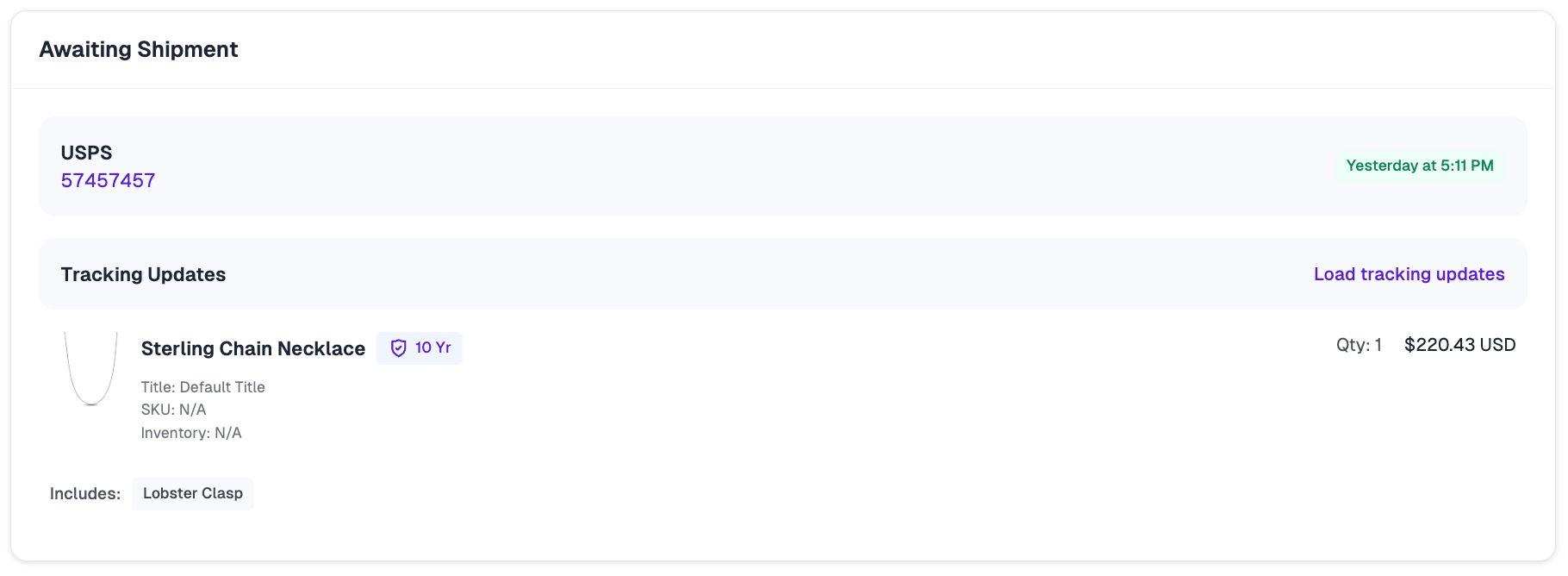
Your taxonomy is only as valuable as it is accurate. Your catalog changes over time — you launch new products, redesign a bundle, rename a part, or discontinue an item — and each of those changes should be reflected in your taxonomy so customers always see the right parts to claim against. You can review each product’s relationships on the Products page, where the Relationship column shows whether a product is a parent (e.g., Parent · 3 Parts), a component, or a set of variants. Use Sync Products to pull in the latest catalog changes from your store.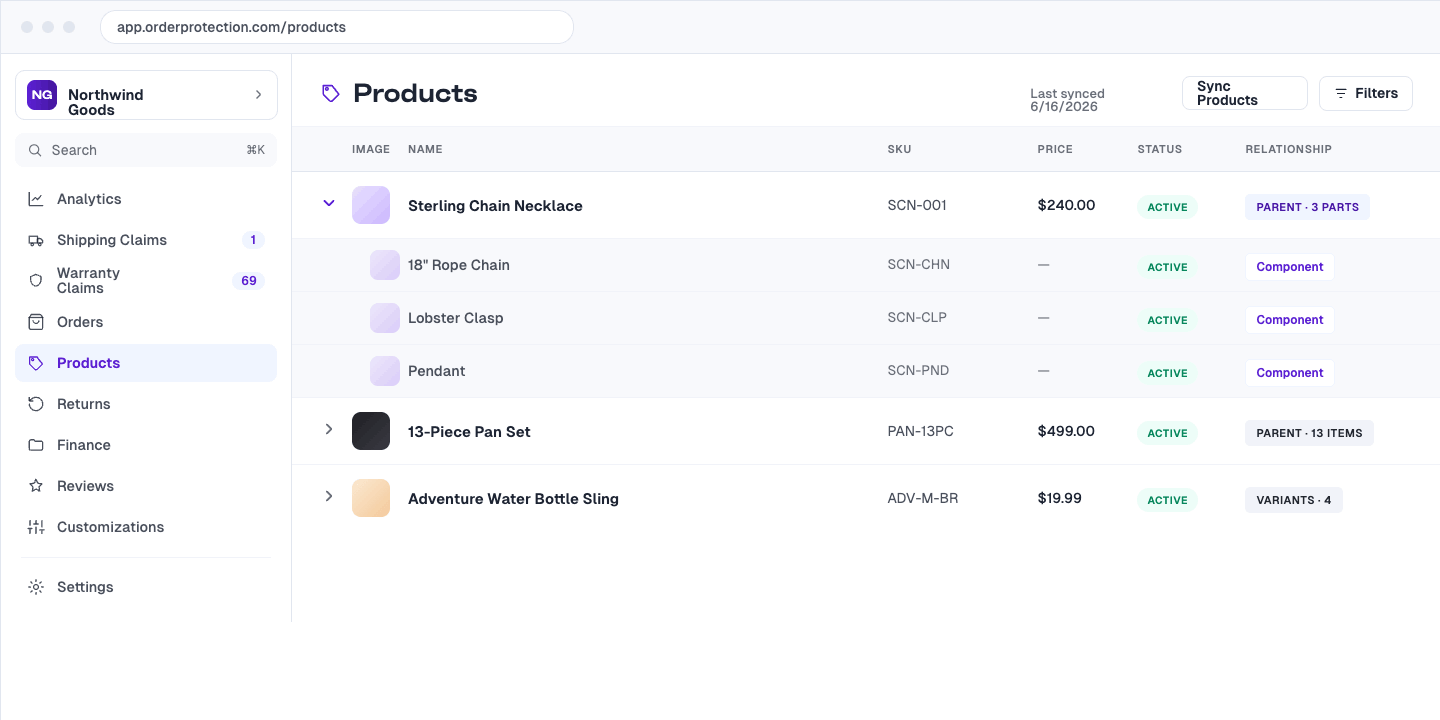
- New products default to whole-item claims. Until a newly launched product’s components or bundle items are mapped, customers can only claim against the entire product — which means higher-cost resolutions on exactly the products you know least about.
- Stale mappings confuse customers. A renamed or removed part that still appears (or a new part that’s missing) makes the claim form inaccurate and erodes trust.
- Your failure data stays meaningful. Accurate component mapping is what lets you trust the “which parts fail most often” insight — outdated taxonomy skews it.
The customer experience
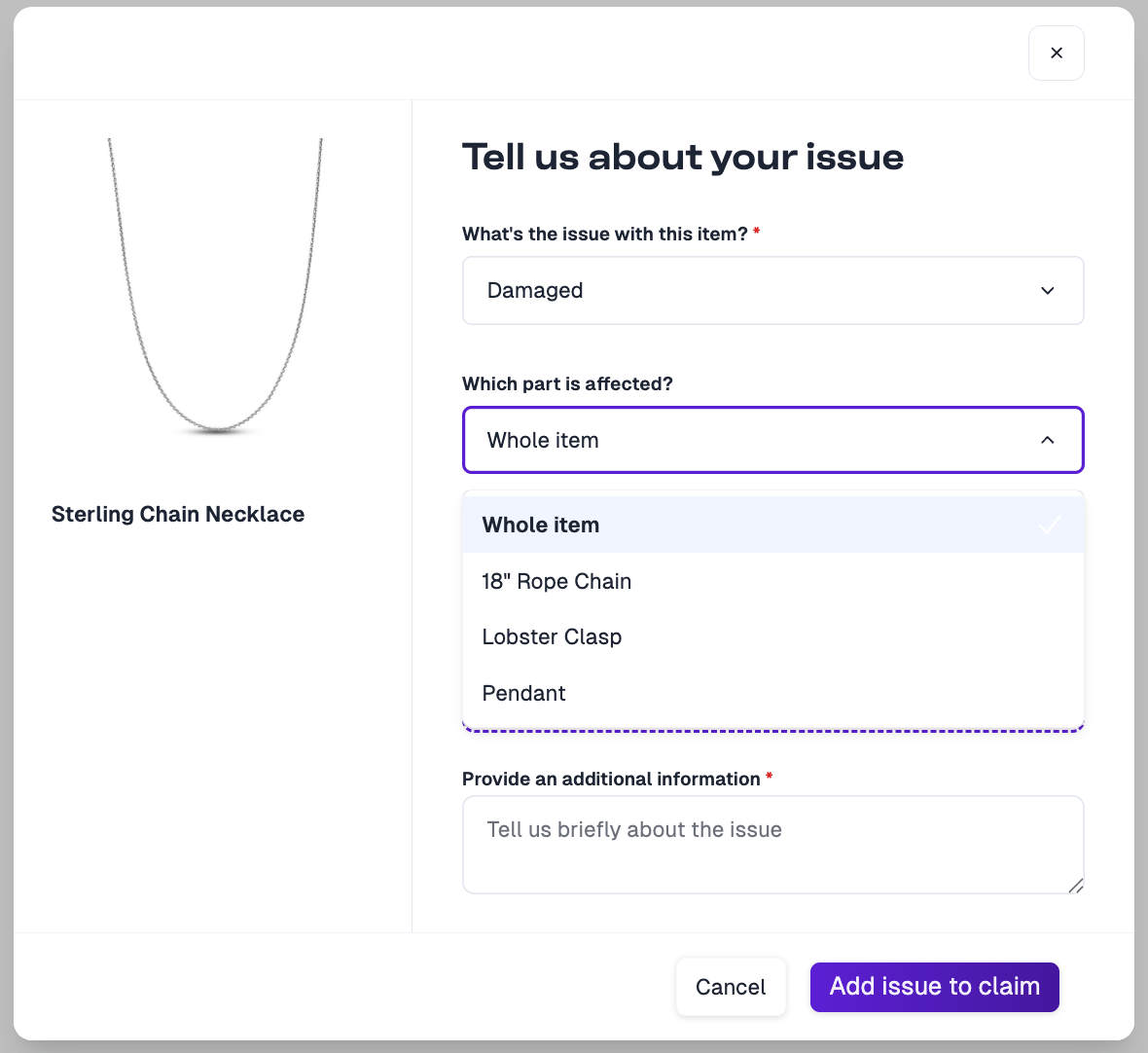
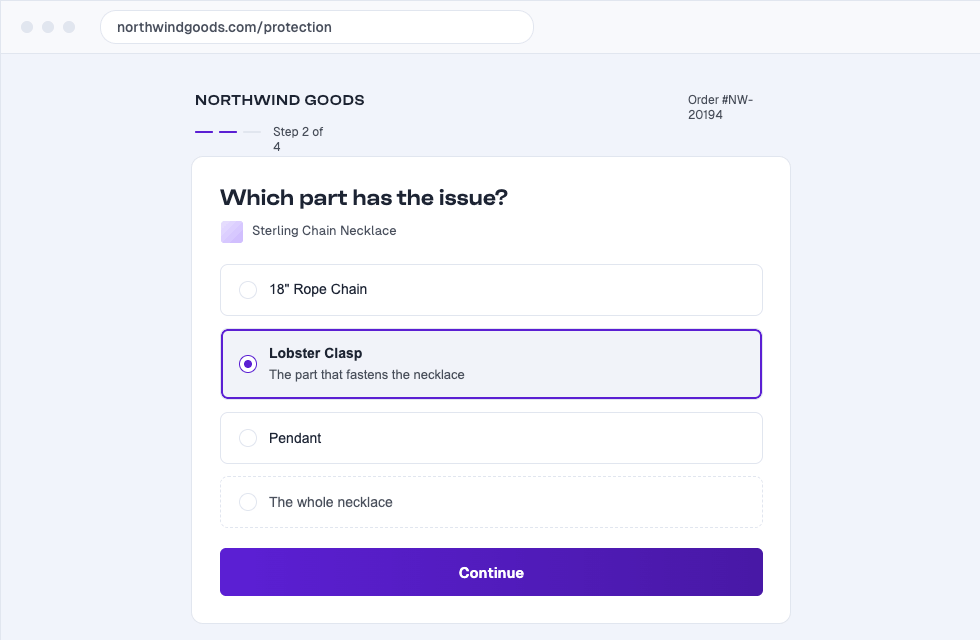
Once your taxonomy is uploaded, customers filing a claim will see a Which part is affected? dropdown when describing their issue. It defaults to Whole item, with each mapped component or bundle item listed as an option. This lets the customer pinpoint exactly which part has the issue.The Which part is affected? selector appears when the issue type is Damaged or Defective. Missing is also available for bundle items — a bundle can arrive with one of its items missing — but not for components, since a component is part of a single product and can’t go missing on its own. For all other issue types, the claim is filed against the whole item.