

Some values on this page are configured in partnership with your Order Protection team rather than edited on your own, and some blocks only appear if the matching capability is enabled on your account. The screenshots below come from a demo account — every value shown is that account’s configuration, not a default.
Shipping Pricing
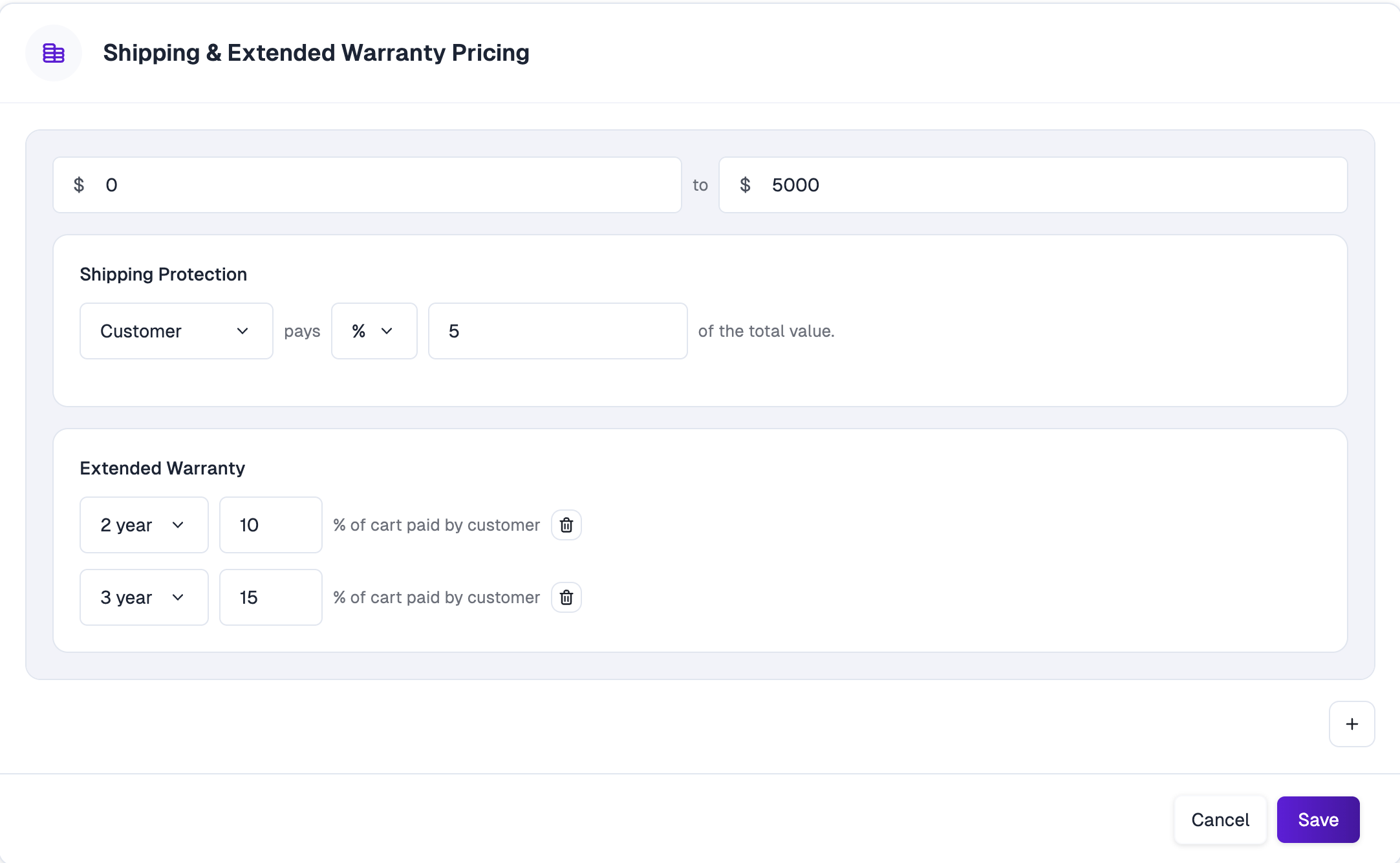
- Who pays — the Customer, the Brand, or both.
- How much — either a flat dollar amount or a percentage of the cart’s total value.
Billing, invoices, and payouts
These three cards define how money moves between your brand and Order Protection.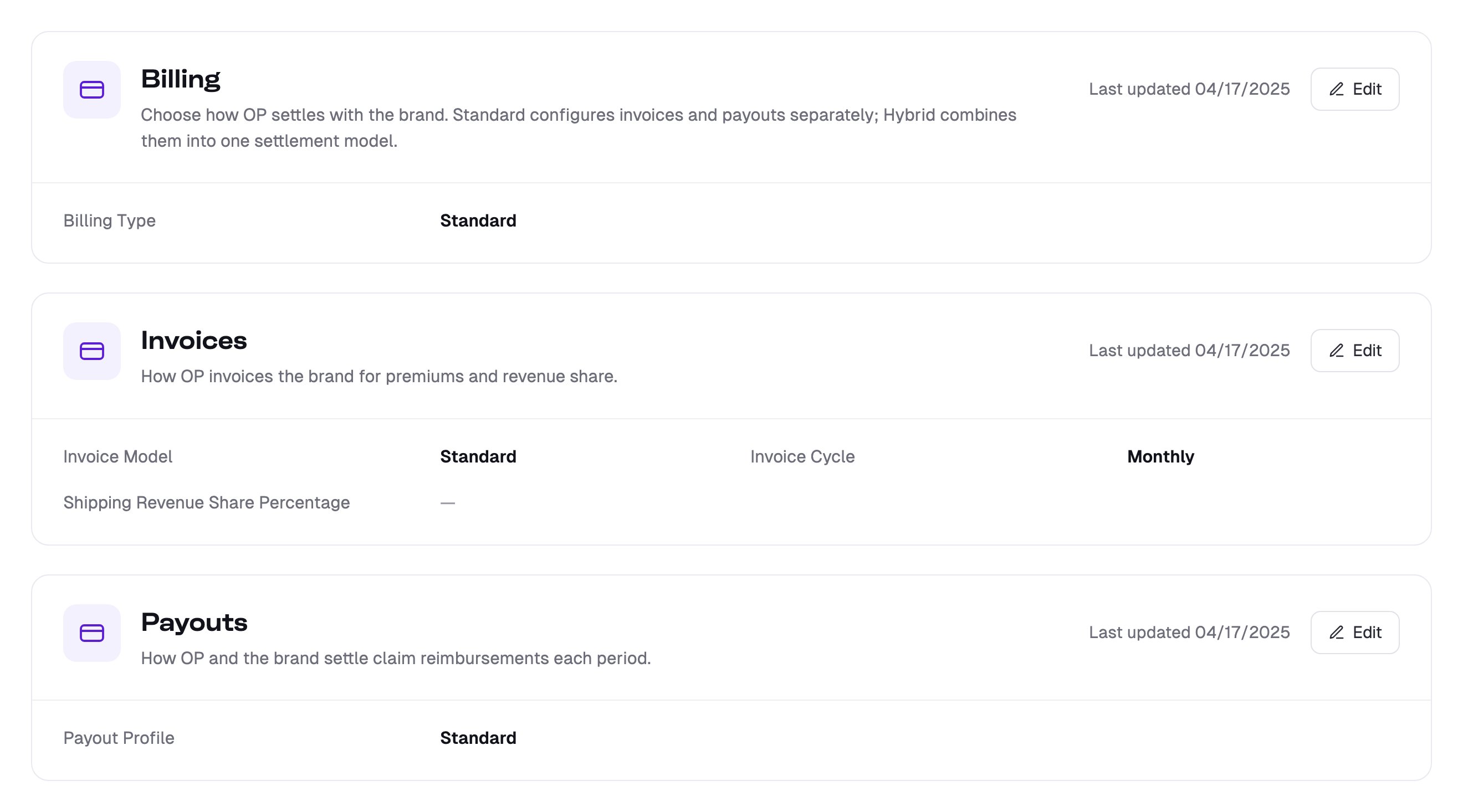
Billing
Billing Type determines how Order Protection settles with you:- Standard — invoices and payouts are configured and settled separately. This is the default, and what the two blocks below describe.
- Hybrid — a single combined settlement model. When Hybrid is selected, the separate Invoices and Payouts blocks are replaced by one net-settlement configuration where premiums and claim reimbursements are reconciled together.
Invoices
How Order Protection invoices you for premiums and revenue share.- Invoice Model — Standard bills on premiums minus discounts and cancellations.
- Invoice Cycle — how often invoices are generated: Daily, Weekly, Biweekly, or Monthly.
- Shipping Revenue Share Percentage — your share of shipping-protection premiums. This is set per brand as part of your agreement with Order Protection; there’s no standard rate.
Payouts
How you and Order Protection settle claim reimbursements each period.- Payout Profile — the formula used to calculate what you’re paid. Your profile is set as part of your agreement with Order Protection. Common profiles include:
- Standard — the greater of your revenue share or your claim reimbursements.
- Revenue Share — revenue share only; claim reimbursements aren’t paid out.
- Gross Margin — premiums minus claim reimbursements, run through a fixed margin formula.
Coverage Matrix
The Coverage Matrix is where you set what’s covered, how much is reimbursed, and what proof a customer has to provide — per claim type.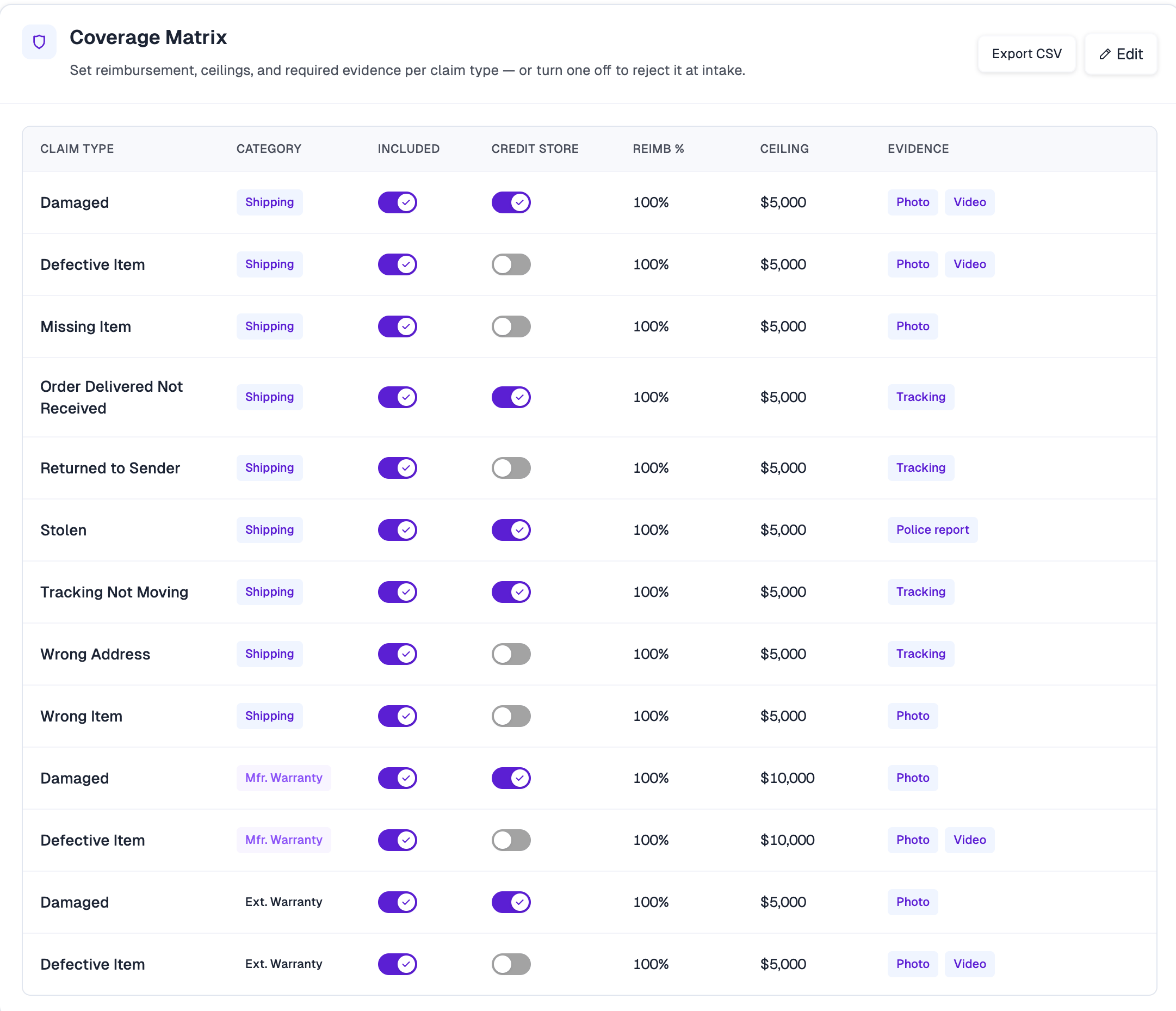
- Claim Type / Category — claim types are grouped by Shipping, Mfr. Warranty, and Ext. Warranty. Warranty rows only appear if those capabilities are enabled on your account, and warranty categories cover only Damaged and Defective Item.
- Included — whether the claim type is covered at all. Turning it off rejects that claim type at intake.
- Credit Store — whether Order Protection reimburses you for this claim type.
- Reimb % and Ceiling — the reimbursement rate and the maximum reimbursed value for a single claim. Ceilings are set per account and can differ by category.
- Evidence — the proof a customer must supply: Photo, Video, Tracking, or Police report. Each can be always required, or required only once a claim exceeds a dollar threshold you set.
Policy Windows
Policy Windows control how long a customer has to file a claim, and how that window flexes based on the customer and the order.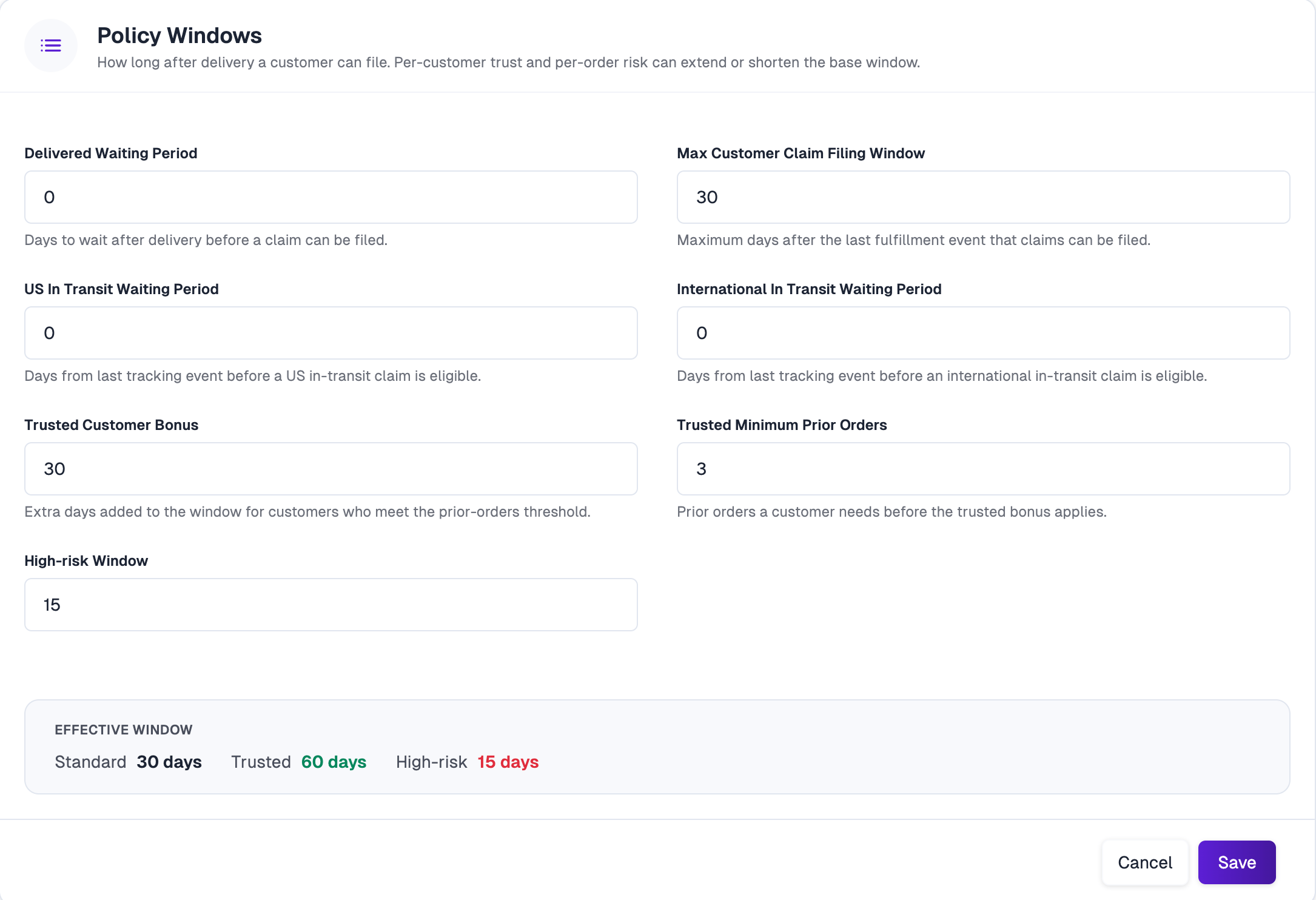
- Delivered Waiting Period — days to wait after delivery before a claim can be filed.
- Max Customer Claim Filing Window — the maximum number of days after the last fulfillment event that claims can be filed. This is the base window.
- US In Transit Waiting Period — days since the last tracking event before a domestic in-transit claim becomes eligible.
- International In Transit Waiting Period — the same, for international shipments.
- Trusted Customer Bonus — extra days added to the window for customers who qualify as trusted.
- Trusted Minimum Prior Orders — how many prior orders a customer needs before that bonus applies.
- High-risk Window — a shortened filing window applied to orders flagged as high-risk by Order Protection’s risk screening.
Widget
The Widget block controls how protection behaves in your cart and checkout.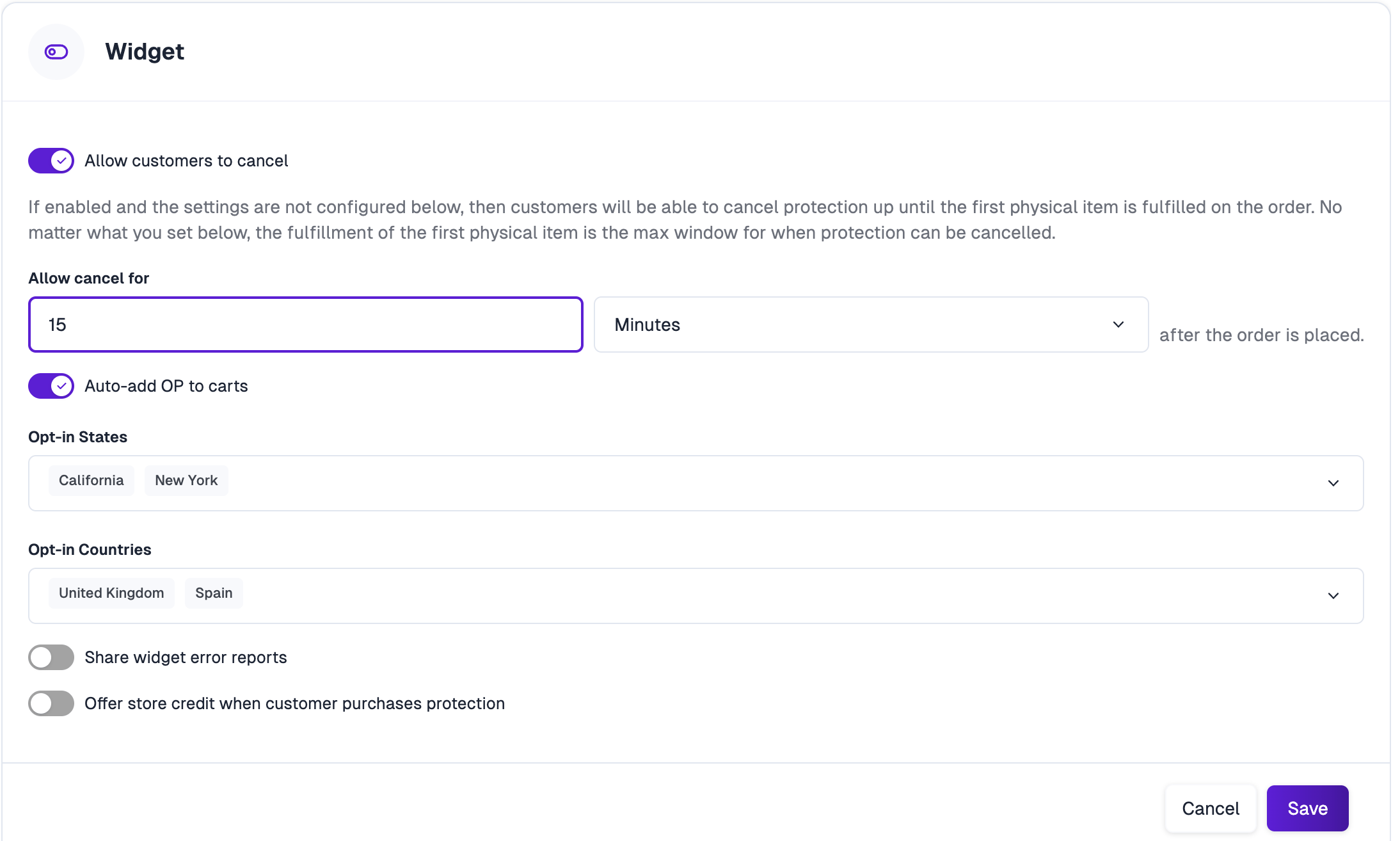
- Allow customers to cancel — whether customers can remove protection after placing an order, and Allow cancel for sets how long after the order they can do it.
- Auto-add OP to carts — whether protection is added to carts automatically.
- Opt-in States and Opt-in Countries — regions where protection is presented as opt-in instead of being auto-added.
- Share widget error reports — whether widget errors are shared with Order Protection for troubleshooting.
- Offer store credit when customer purchases protection — offers store credit as an incentive for buying protection. See Account Store Credit.
Fulfillment of the first physical item on an order is always the maximum cancellation window, no matter what Allow cancel for is set to.