

1
Getting your Refundid API key
Log in to your Refundid account and generate an API key for the integration. If you’re not sure where to find it, reach out to your Refundid account manager or Refundid support. Copy the API key — you’ll paste it into Order Protection in the next step.
2
Enabling the Refundid Integration in Order Protection
From settings, go to the
General tab. Scroll to the bottom and under the Returns block, select edit and select Refundid as the provider.From there, head over to the Integrations tab. Within the Available sub-tab, edit the Refundid block. Here, input the API key and hit Save.Once saved, the block will also appear in the Active sub-tab. Return data will begin flowing into Order Protection automatically — no additional webhook setup is required on your end.3
Changes to the customer claim portal
First we start with the customer claim filing portal. This can either be the Order Protection generic portal or your own customized portal. To set up your customized portal, follow these instructions. Now that the integration is set up, you will see a new block in the customer claim filing portal to file a return.Once the
Start a new return button is pressed, the customer will be re-directed to your Refundid portal with the proper URL parameters for order number and customer email.4
Changes within the OP app
Now that the integration is set up, you also have additional functionality within the OP app as well.First, you now have a view of all returns within the 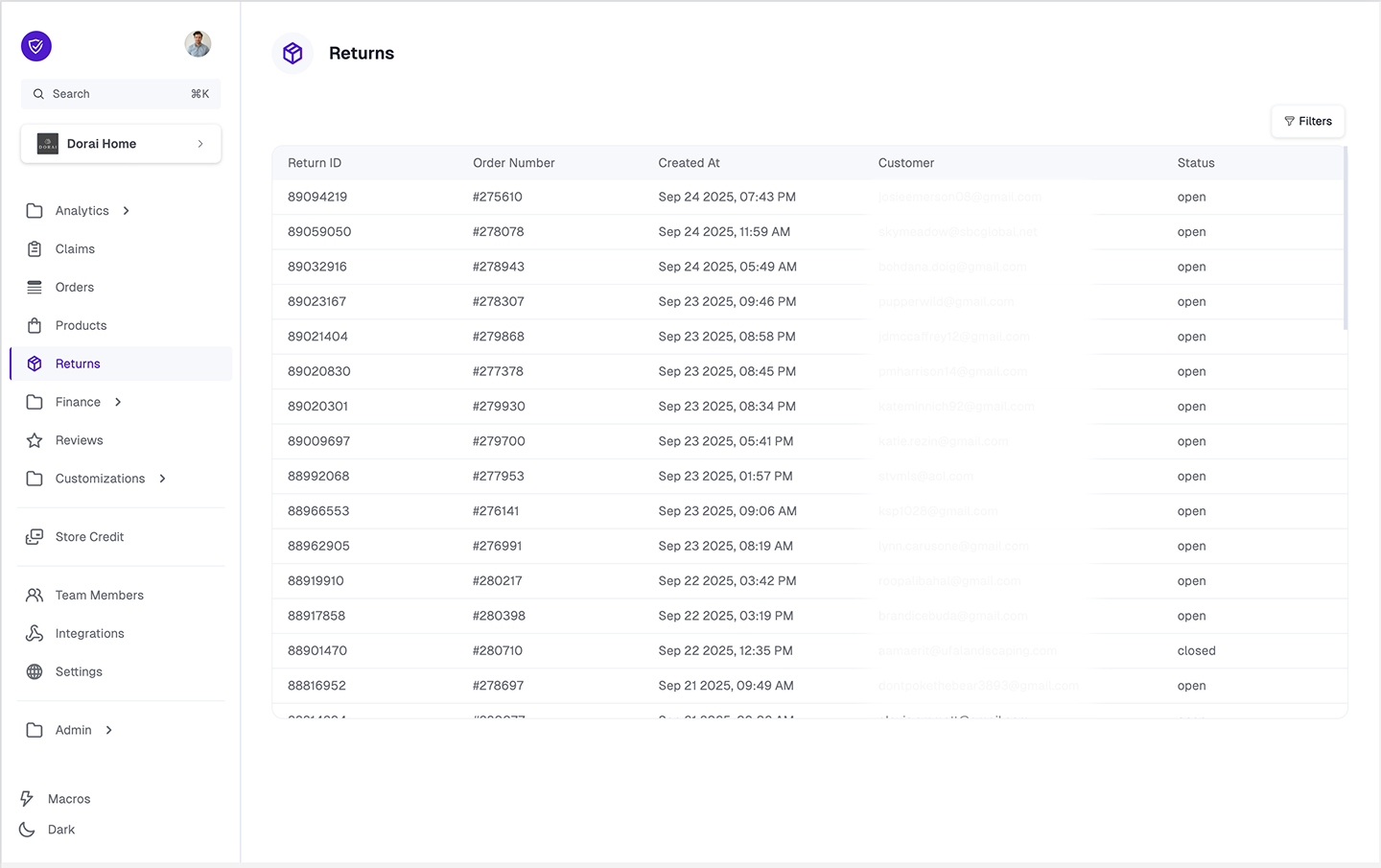
Returns left navigation tab. By clicking on any of the rows, it will take you to the order detail page to show you return details (file date, return label, tracking, etc.)View in Refundid. By clicking that button, you will do an authorized jump to your return instance for the given order. From here, you can view all return data and make any necessary manual return actions.Additionally, another benefit of the Refundid / Order Protection integration is that we will block returns and/or shipping claims for order items that have a post-purchase claim filed (e.g. will block a shipping claim if a return is open on the given order item that a customer also wants to file a shipping claim for).