> ## Documentation Index
> Fetch the complete documentation index at: https://docs.orderprotection.com/llms.txt
> Use this file to discover all available pages before exploring further.
# Gorgias
> Every case and communication synced directly into Gorgias.
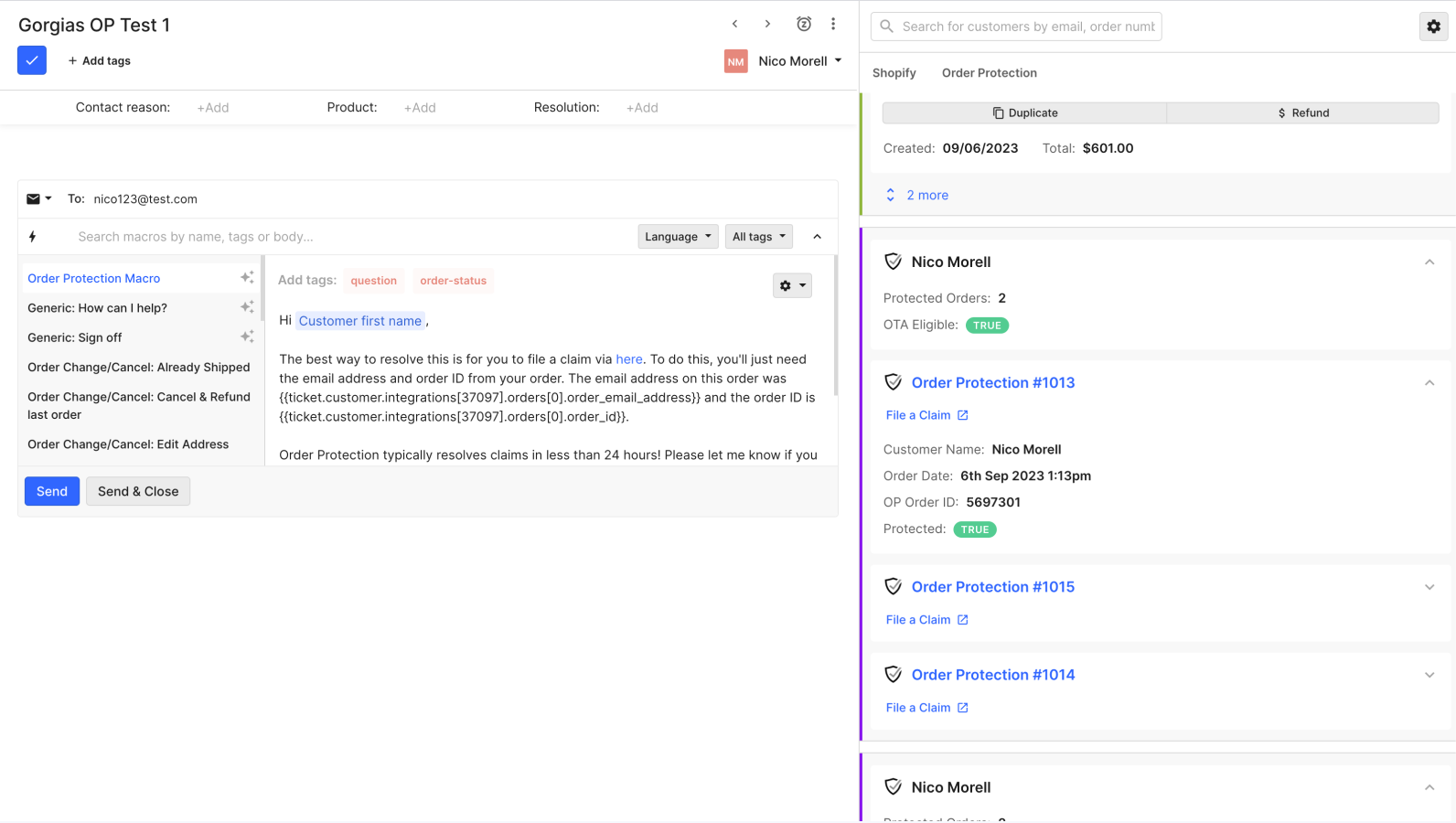
Order Protection seamlessly integrates with Gorgias, enhancing the
ticket-viewing experience for users with all relevant information in one
place.
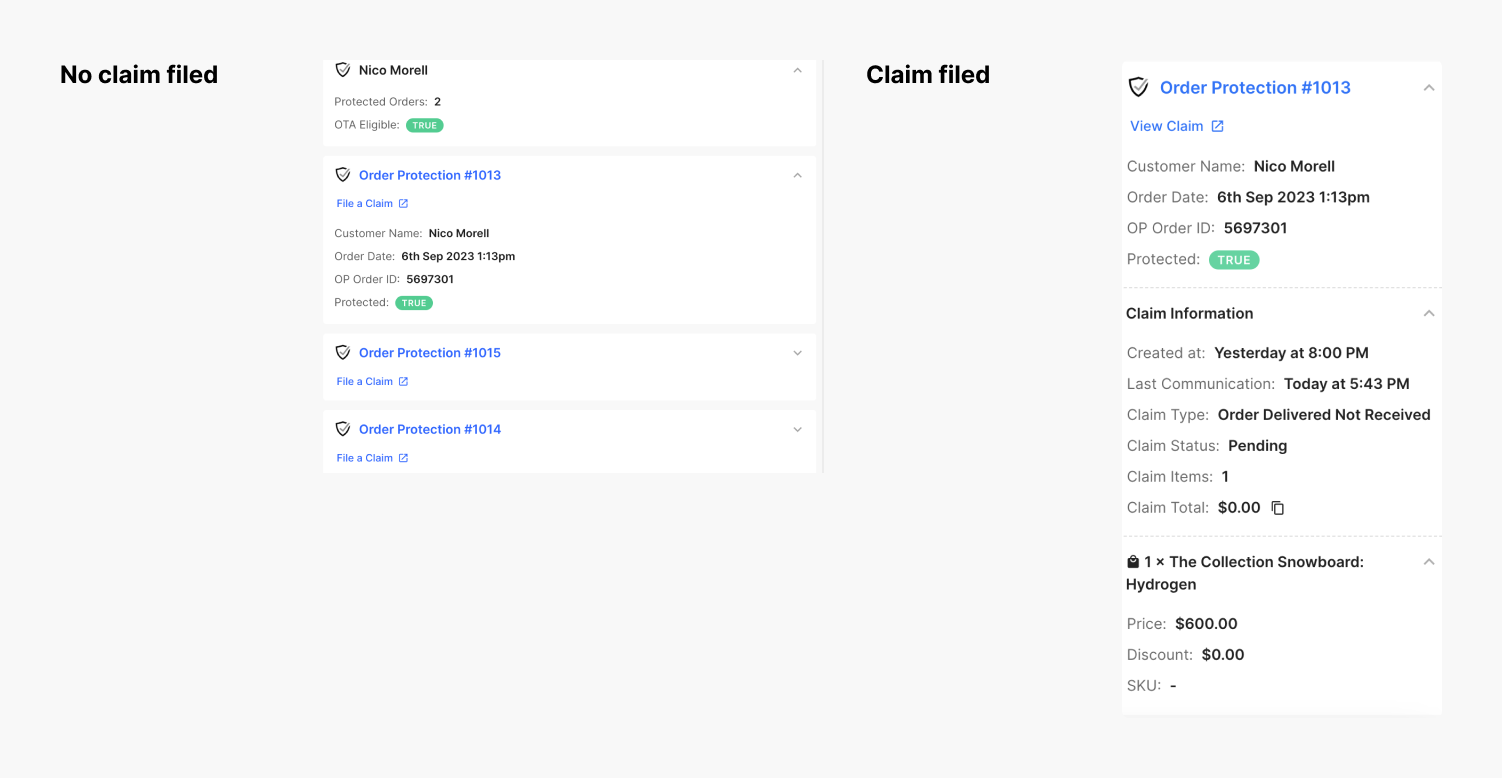
Tickets are not created within this integration. The app merely displays
customer and order/claim info in the widget including product information,
claim status, claim type, and a link to view the claim within Order Protection
## Installation
Follow these 4 steps to connect Order Protection with Gorgias.
From your Gorgias account head to Settings > App Store > All apps and search
for `Order Protection`.
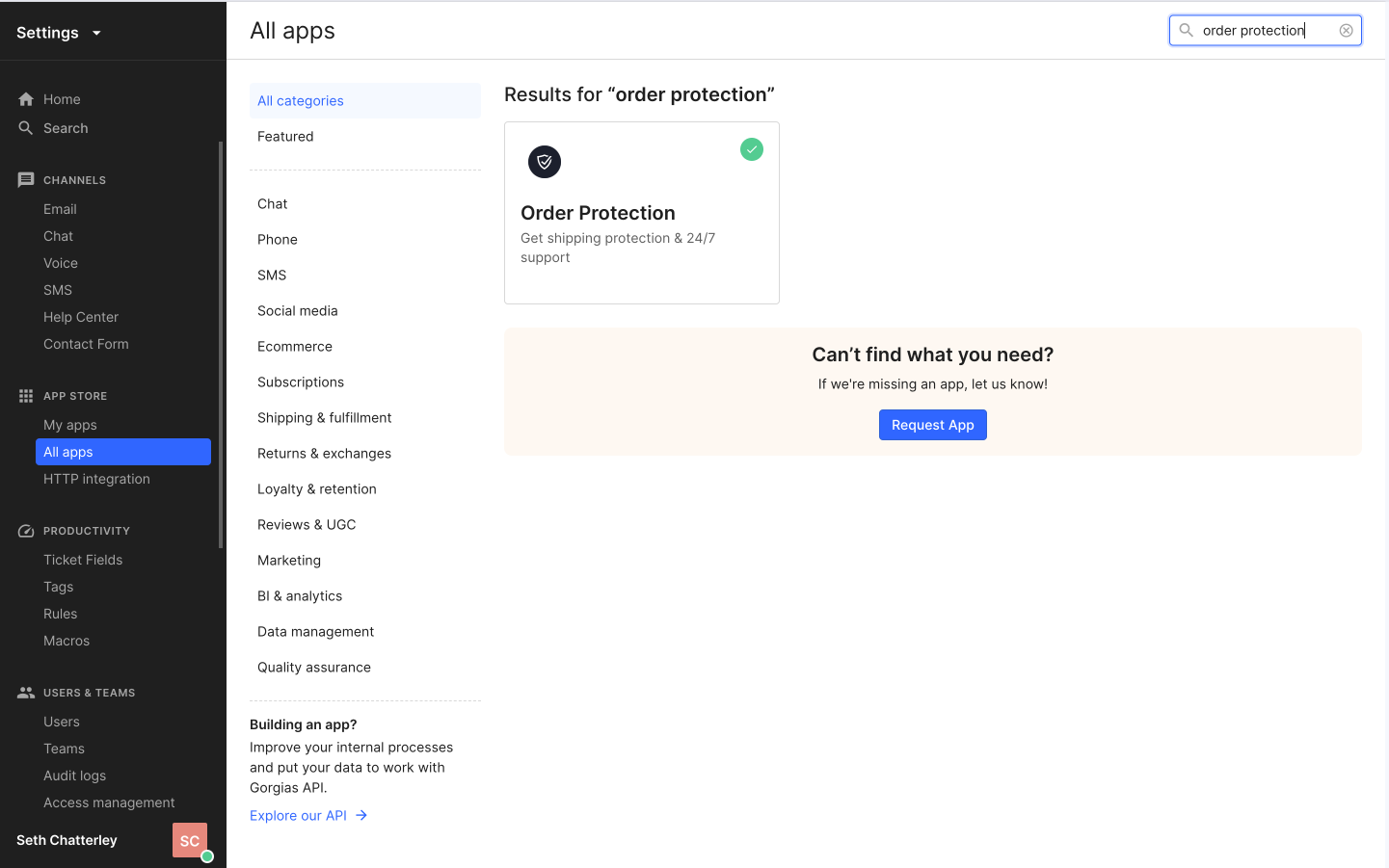 After finding the app, click on the Connect App button.
Authorize the app
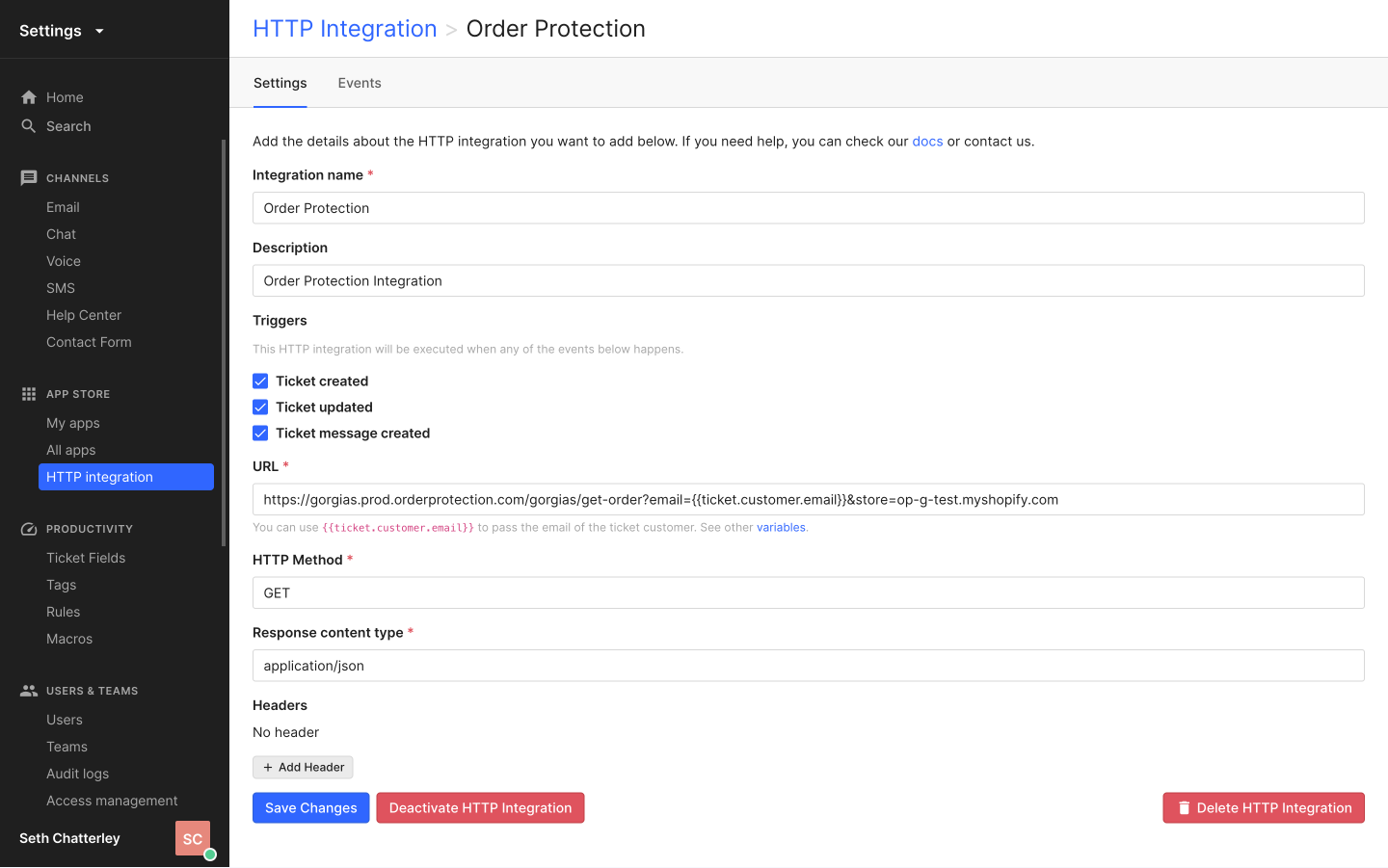
The app is connected and it will show under the HTTP Integration page and the My apps page.
After finding the app, click on the Connect App button.
Authorize the app
The app is connected and it will show under the HTTP Integration page and the My apps page.
 ### How it works
Once the setup is complete, a macro and widget will be automatically created.
When it comes to filing claims, you can do that from the Gorgias widget, or
use the associated macro and send it to the customer so they can file a claim.
### How it works
Once the setup is complete, a macro and widget will be automatically created.
When it comes to filing claims, you can do that from the Gorgias widget, or
use the associated macro and send it to the customer so they can file a claim.