> ## Documentation Index
> Fetch the complete documentation index at: https://docs.orderprotection.com/llms.txt
> Use this file to discover all available pages before exploring further.
# How Payments Work
> Managing payment invoices, adding payment methods, and understanding billing cycles.
Below is a general overview of how payments work at OrderProtection.com. Please note that when payments are made depends on your contract -- so if you have any questions about your exact timeline or payment terms, be sure to refer to your agreement or reach out to your Customer Success Manager (CSM).
## How to View Your Payment Invoices
Go to **Finance** in the left-hand menu and select **Payments**.
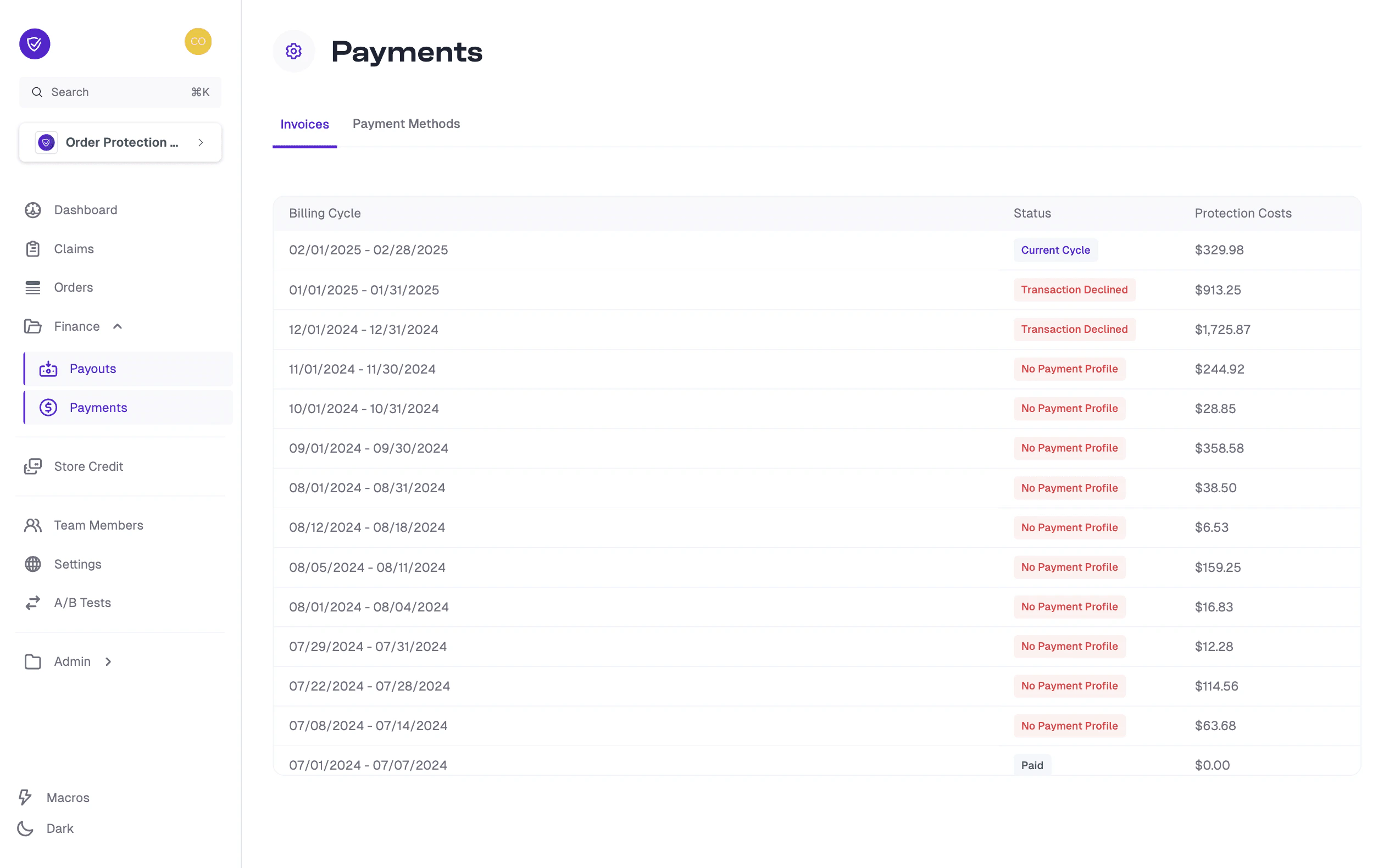
In the **Invoices** tab, you will see a list of your billing cycles (e.g., "01/01/2025 -- 01/31/2025").
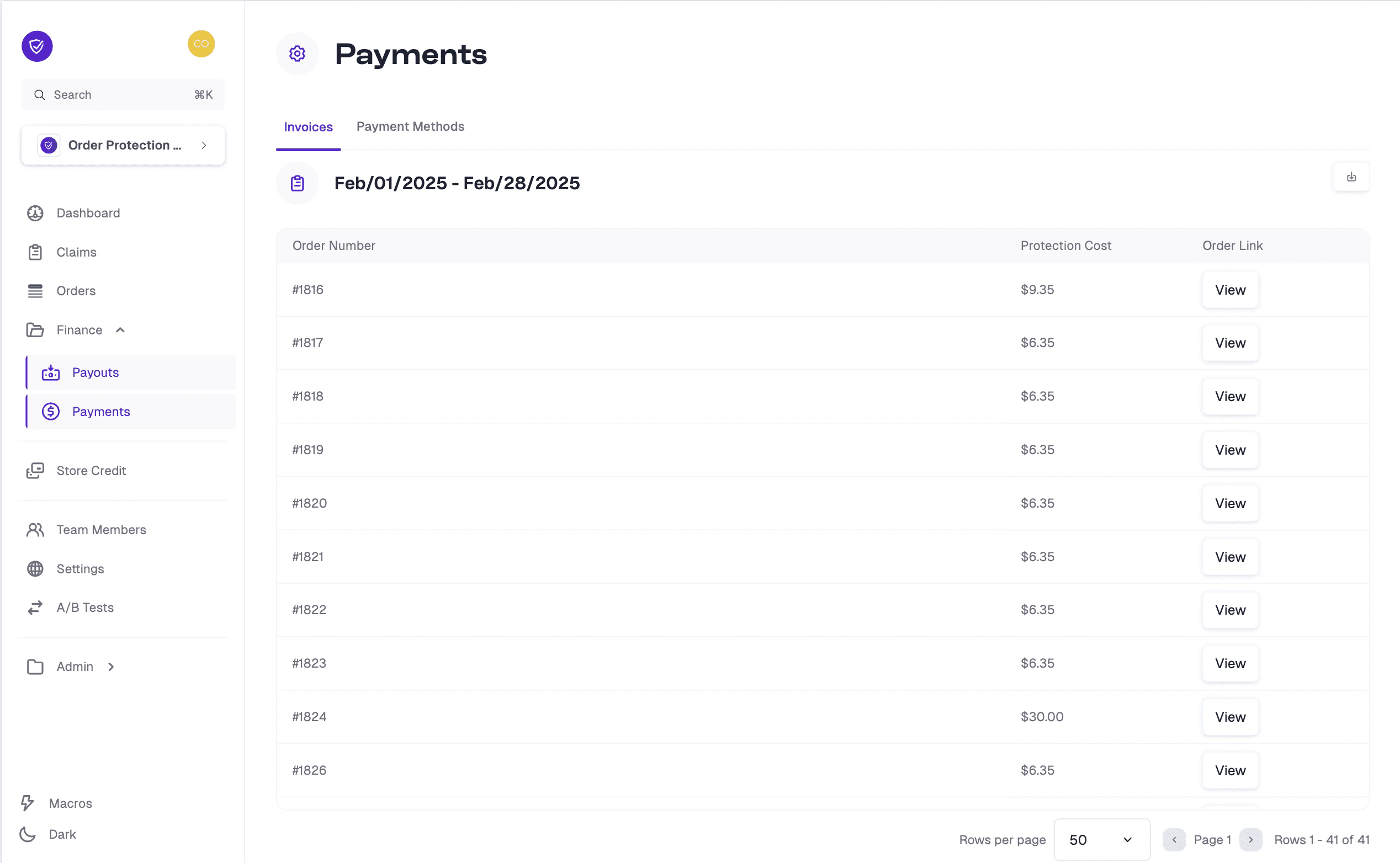
Click on a specific billing cycle date range to view all of the orders that contributed to the invoice during that period. Each order lists its Protection Cost, and the total of these costs makes up the invoice amount for that billing cycle.
You can also see an at-a-glance **Status** of each billing cycle (e.g., Current Cycle, Transaction Declined, Paid, etc.).
 ## How to Manage Payment Methods
Navigate to **Finance > Payments** in the left-hand menu.
Click the **Payment Methods** tab at the top. Here, you can see all the payment methods currently associated with your account.
## How to Add a Payment Method
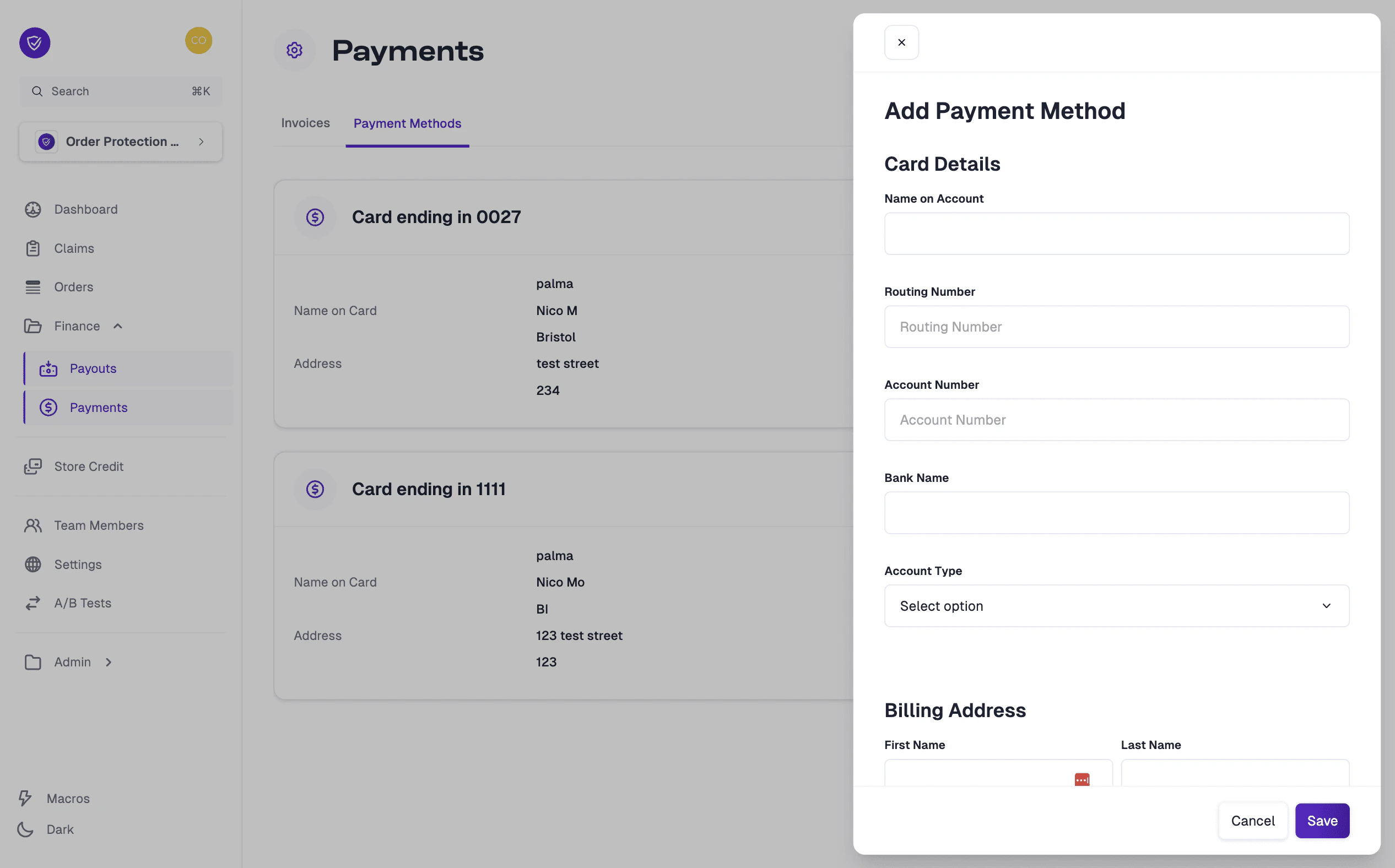
In the **Payment Methods** tab, click the **Add Payment Method** button.
OrderProtection.com accepts ACH (electronic bank transfer) or credit card payment methods. Select the type of payment you wish to add.
Enter the required card or bank information in the form provided, and fill in the Billing Address fields accurately.
Click **Save** to confirm and add the new payment method to your account.
## How to Manage Payment Methods
Navigate to **Finance > Payments** in the left-hand menu.
Click the **Payment Methods** tab at the top. Here, you can see all the payment methods currently associated with your account.
## How to Add a Payment Method
In the **Payment Methods** tab, click the **Add Payment Method** button.
OrderProtection.com accepts ACH (electronic bank transfer) or credit card payment methods. Select the type of payment you wish to add.
Enter the required card or bank information in the form provided, and fill in the Billing Address fields accurately.
Click **Save** to confirm and add the new payment method to your account.
 ## How to Set a Payment Method as Default
In the **Payment Methods** tab, locate the payment method you'd like to set as default.
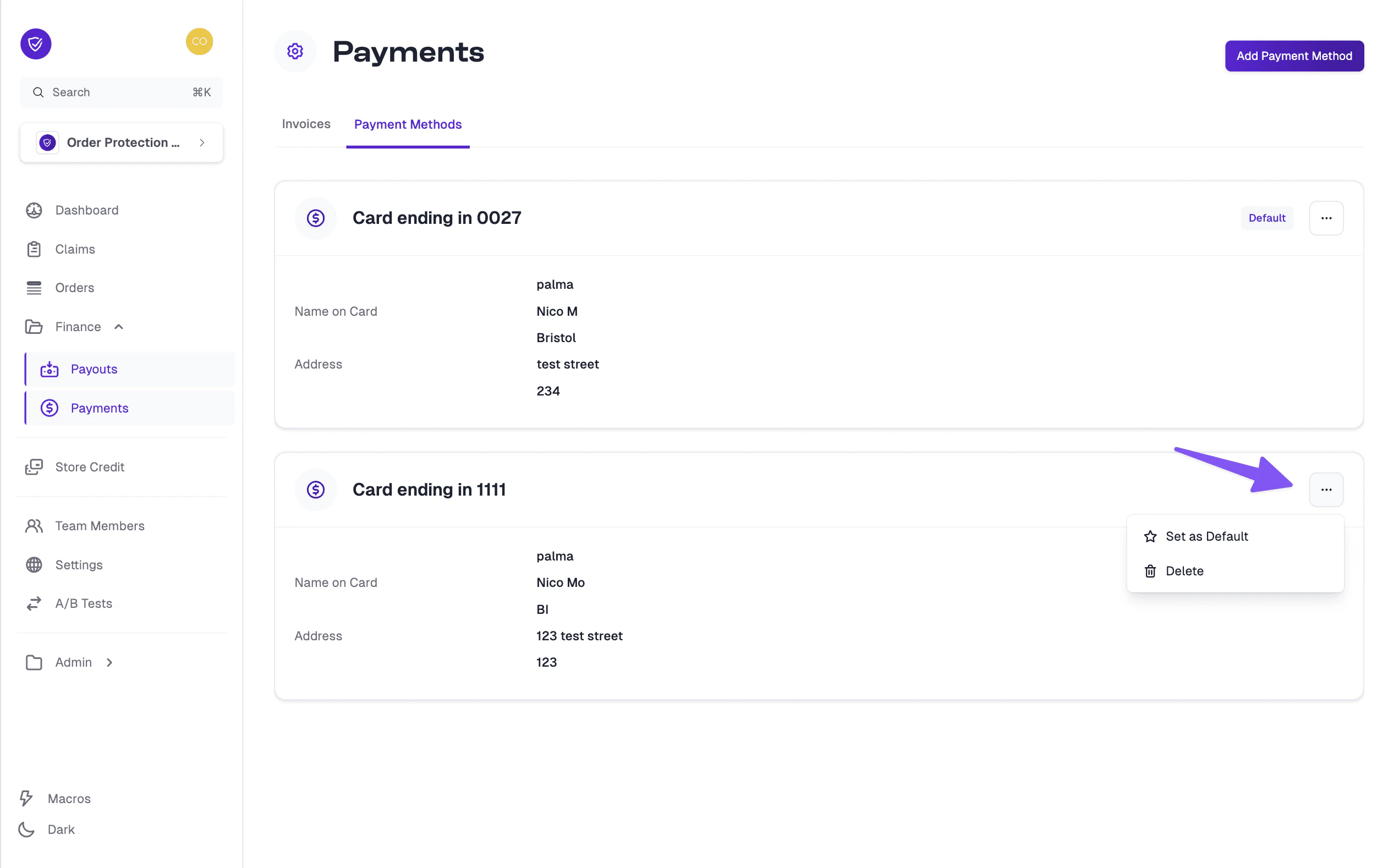
Click the **...** (three dots) icon to open the action menu.
Select **Set as Default** from the dropdown options. The chosen payment method will now appear as your default in the list.
## How to Set a Payment Method as Default
In the **Payment Methods** tab, locate the payment method you'd like to set as default.
Click the **...** (three dots) icon to open the action menu.
Select **Set as Default** from the dropdown options. The chosen payment method will now appear as your default in the list.
 For any additional questions regarding payment timing, amounts due, or troubleshooting payment issues, please refer to your contract or contact your CSM for assistance.